Wondering which modems will work with CenturyLink service?
If you have a modem from outside CenturyLink that you want to use, please read this important information. The modem must have a certain configuration to work with our service. We can't provide a list of third-party modems that could work because there are hundreds of brands and models available, and we can't guarantee any of them to be set up correctly.
Find information below about the latest CenturyLink modems that will give you the best performance, plus details about all of our compatible modems, including older models.
CenturyLink uses different modems that work with different speeds and internet technologies, like fiber or DSL. For a modem to work for your internet service, it must be compatible with both the connection type and the speed of your service.
Recommended CenturyLink modems
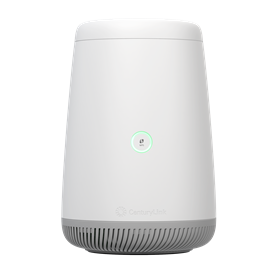
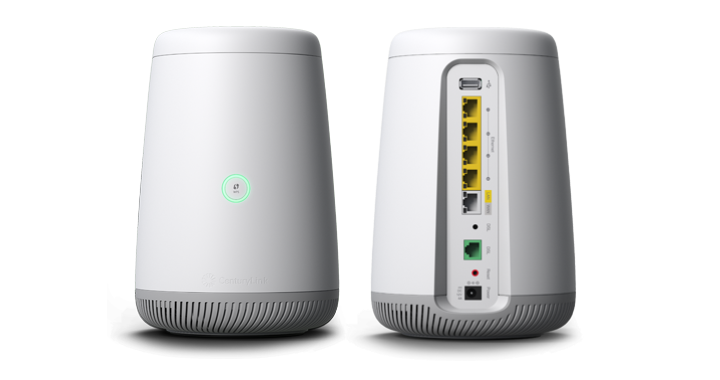
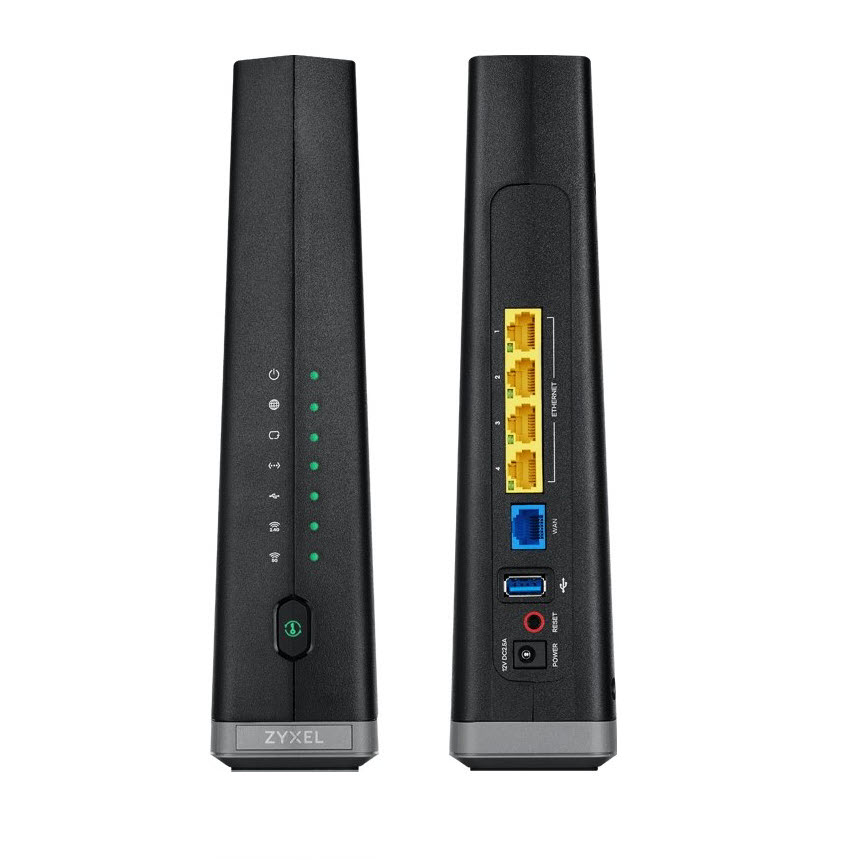
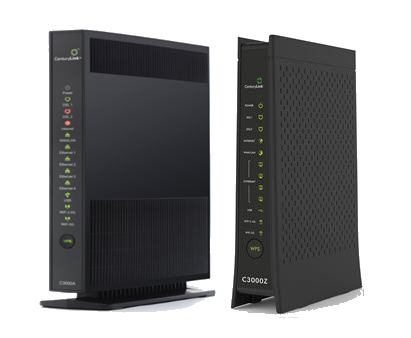
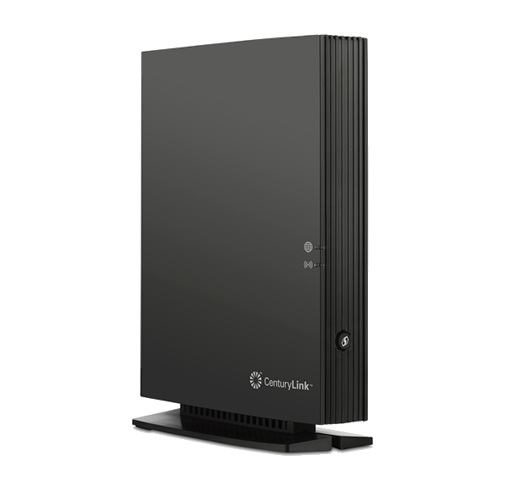
A CenturyLink gateway, or all-in-one modem/router, connects you to our service and creates a personal WiFi network. The latest gateways that we provide with new service are shown here. When you order or upgrade internet service, the best gateway for your specific service will be selected based on the technology and speed of your internet plan.
All certified CenturyLink modems have been tested on our network to make sure they perform as expected and work at the specified speeds. You can use the drop-down below to see all CenturyLink-certified modems currently in use.
The C4000 comes in multiple versions, depending on your internet connection type. The models are tested and certified to run at these speeds* on the CenturyLink® High-Speed Internet network:
Model
Technology Type
Tested speed
C4000LG/LZ
ADSL
up to 7 Mbps
ADSL2+
up to 20 Mbps
VDSL
up to 100 Mbps
C4000BG/BZ
ADSL2+ pair
up to 40 Mbps
VDSL pair
up to 140 Mbps
C4000XG
Fiber
up to 940 Mbps
*Customer speed experiences will vary, particularly when accessing the internet wirelessly from different devices. Maximum download/upload speeds given are via a wired connection. Internet speeds are not guaranteed due to conditions outside of network control, including customer location, devices, equipment, and access over a wired or wireless connection; see centurylink.com/internetpolicy for more information.
The C3510XZ gateway modem is tested and certified to run at these speeds* on the CenturyLink® Fiber Internet network:
Technology Type
Tested speed
Fiber
up to 940 Mbps
*Customer speed experiences will vary, particularly when accessing the internet wirelessly from different devices. Maximum download/upload speeds given are via a wired connection. Internet speeds are not guaranteed due to conditions outside of network control, including customer location, devices, equipment, and access over a wired or wireless connection; see centurylink.com/internetpolicy for more information.
C3000 specifications
WiFi supported:
2.4 GHz: 802.11 b/g/n
5 GHz: WiFi 5 (802.11 ac)
Other features:Secure WiFi compatible (with leased modem)
The C3000A and C3000Z gateway modems are tested and certified to run at these speeds* on the CenturyLink® High-Speed Internet network:
Technology Type
Tested speed
ADSL
up to 7 Mbps
ADSL2+
up to 20 Mbps (40 Mbps pair bond)
VDSL
up to 100 (140 Mbps pair bond)
Fiber
up to 940 Mbps
*Customer speed experiences will vary, particularly when accessing the internet wirelessly from different devices. Maximum download/upload speeds given are via a wired connection. Internet speeds are not guaranteed due to conditions outside of network control, including customer location, devices, equipment, and access over a wired or wireless connection; see centurylink.com/internetpolicy for more information.
C2300A specifications
WiFi supported:
2.4 GHz: 802.11 b/g/n
5 GHz: 802.11 ac (WiFi 5)
The C2300A gateway modem is tested and certified to run at these speeds* on the CenturyLink® High-Speed Internet network:
*Customer speed experiences will vary, particularly when accessing the internet wirelessly from different devices. Maximum download/upload speeds given are via a wired connection. Internet speeds are not guaranteed due to conditions outside of network control, including customer location, devices, equipment, and access over a wired or wireless connection; see centurylink.com/internetpolicy for more information.
The C5500XK SmartNID is tested and certified to run at these speeds* on the CenturyLink® Fiber Internet network:
Technology Type
Tested speed
Fiber
up to 940 Mbps
*Customer speed experiences will vary, particularly when accessing the internet wirelessly from different devices. Maximum download/upload speeds given are via a wired connection. Internet speeds are not guaranteed due to conditions outside of network control, including customer location, devices, equipment, and access over a wired or wireless connection; see centurylink.com/internetpolicy for more information.
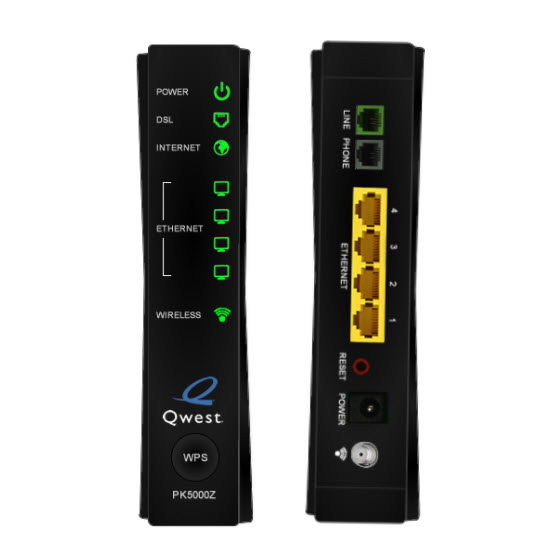
PK5000Z specifications
WiFi supported:
2.4 GHz: 802.11 b/g/n
The PK5000Z gateway modem is tested and certified to run at these speeds* on the CenturyLink® High-Speed Internet network:
*Customer speed experiences will vary, particularly when accessing the internet wirelessly from different devices. Maximum download/upload speeds given are via a wired connection. Internet speeds are not guaranteed due to conditions outside of network control, including customer location, devices, equipment, and access over a wired or wireless connection; see centurylink.com/internetpolicy for more information.
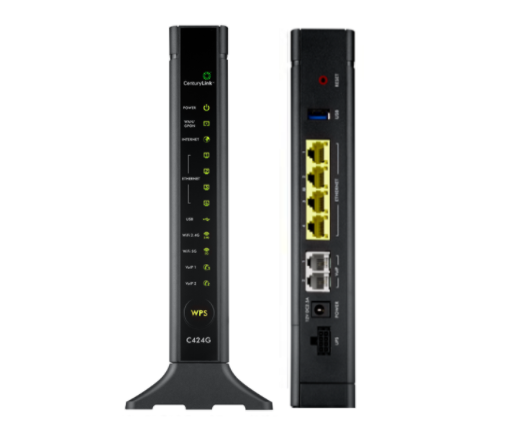
The C424G and C844G gateway modems are tested and certified to run at these speeds* on the CenturyLink® Fiber Internet network:
Technology Type
Tested speed
Fiber
up to 940 Mbps
*Customer speed experiences will vary, particularly when accessing the internet wirelessly from different devices. Maximum download/upload speeds given are via a wired connection. Internet speeds are not guaranteed due to conditions outside of network control, including customer location, devices, equipment, and access over a wired or wireless connection; see centurylink.com/internetpolicy for more information.
Looking for an older CenturyLink modem?
Internet technology changes rapidly. Modems are retired over time and replaced with newer, faster equipment. If you have a CenturyLink modem that is more than five years old, it may be on our list of modems that are being replaced. Visit our retired modems page for details.
*Customer speed experiences will vary, particularly when accessing the internet wirelessly from different devices. Maximum download/upload speeds given are via a wired connection. Internet speeds are not guaranteed due to conditions outside of network control, including customer location, devices, equipment, and access over a wired or wireless connection; see centurylink.com/internetpolicy for more information.
The models shown below are still being used by some of our customers and still supported by our technicians, but will be retired in the near future. Learn more >
*Customer speed experiences will vary, particularly when accessing the internet wirelessly from different devices. Maximum download/upload speeds given are via a wired connection. Internet speeds are not guaranteed due to conditions outside of network control, including customer location, devices, equipment, and access over a wired or wireless connection; see centurylink.com/internetpolicy for more information.
If you feel you need a new modem because yours is several years old or not working well, our representatives can help you order a new one. Or, if you're ordering new service, you will be guided to purchase or lease the best CenturyLink modem for your service to get optimal performance.
Modem cost options
Lease
$17/month
Purchase
$200
Includes warranty for repair or replacement. 12-month warranty for new modems. 24-month warranty for refurbished modems.
Rates subject to change. Taxes may apply.
* With some exceptions.
Order a new modem online*
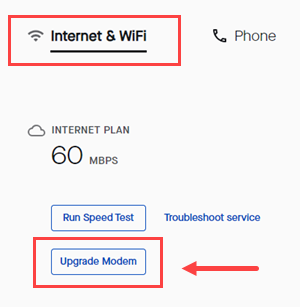
Sign in to My CenturyLink, click on the Services tab in the top menu and look for a button to Upgrade Modem. If you don't see the button, you can call or chat and an agent will help you.
Includes warranty for repair or replacement. 12-month warranty for new modems. 24-month warranty for refurbished modems.
Rates subject to change. Taxes may apply.
* With some exceptions.
You will get the best experience and performance by using certified CenturyLink equipment. Why? Our modems are tested and guaranteed to be optimized for maximum performance and easy setup. Our modems also come with free 24/7 tech support, whether you purchase or lease your modem from CenturyLink. If bringing your own modem is an option for your service, you will see a note during the online order process. However, not all modems are able to connect to CenturyLink internet service.
Certified means our modems have been tested on the CenturyLink network to ensure they are compatible with our internet technology and that they perform as expected. Our technical experts determine the modem's maximum speed and check IP compatibility. All CenturyLink-certified modems include 24/7 technical support and free McAfee security protection.
If you are looking to use a different modem with your existing service, our representatives can help you determine compatibility. If you are ordering new service, you will be guided to purchase or lease the best CenturyLink modem for your service to get optimal performance.
A modem connects you to the provider network. The modem is what brings your internet connection to your home.
A router transmits that internet connection to multiple devices in your home or business, either over Ethernet connection or over WiFi. The router also allows your devices to share information with each other.
A gateway combines the modem and router into one device. Most* CenturyLink "modems" (as we often call them for shorthand) are actually 2-in-1 gateways.
*The SmartNID for fiber service is not a gateway, as it does not provide wireless service.
The bottom line: Since most internet users today use the termmodem, we tend to use this term on our Support Center. We may call it a router when talking about WiFi. If you contact tech support, agents will often refer to it as a gateway, its official name.






.png)